Install the EDGEkit app
This page takes you from the download to EDGEkit’s first window. Allow ten minutes. Already use VS Code and want to stay there? Install the extension pack instead.
What you need
| You need | Notes |
|---|---|
| Windows, 64-bit | EDGEkit is for Windows x64 only, for now |
| Cyberpunk 2077 installed | Not needed to install EDGEkit, but the tools read the game’s files |
| A network connection for the download | About 150 MB. After that, EDGEkit starts and works without one |
1. Download and run the installer
- Download
EDGEkitSetup-<version>.exefrom the EDGEkit releases page. - Run it. Windows may warn you first. The installer isn’t signed yet, so Windows SmartScreen can show “Windows protected your PC”. Choose More info, then Run anyway.
- Follow the installer. It installs for your Windows user only, so it doesn’t ask for an administrator.
EDGEkit installs beside VS Code, if you have it, without touching it: it has its own name, icon, settings and extensions.
2. The Nexus Mods box
On the installer’s Select Additional Tasks page there is a box:
Send Nexus Mods download links (Mod manager download) to EDGEdeck
On Nexus Mods, each file has a Mod manager download button. Only one program on your PC can receive those downloads. Tick the box and that program is EDGEdeck, EDGEkit’s mod manager: a mod you click on Nexus lands in your mod library, ready to switch on.
| If | The box starts |
|---|---|
| No other program receives the links | Ticked |
| Vortex or Mod Organizer receives them now | Unticked, so EDGEkit never takes them over unless you tick it |
The installer asks once. Later updates leave your choice alone. You can change it at any time: see Nexus Mods in EDGEdeck.
3. The first start
Start EDGEkit. Three things happen, in this order:
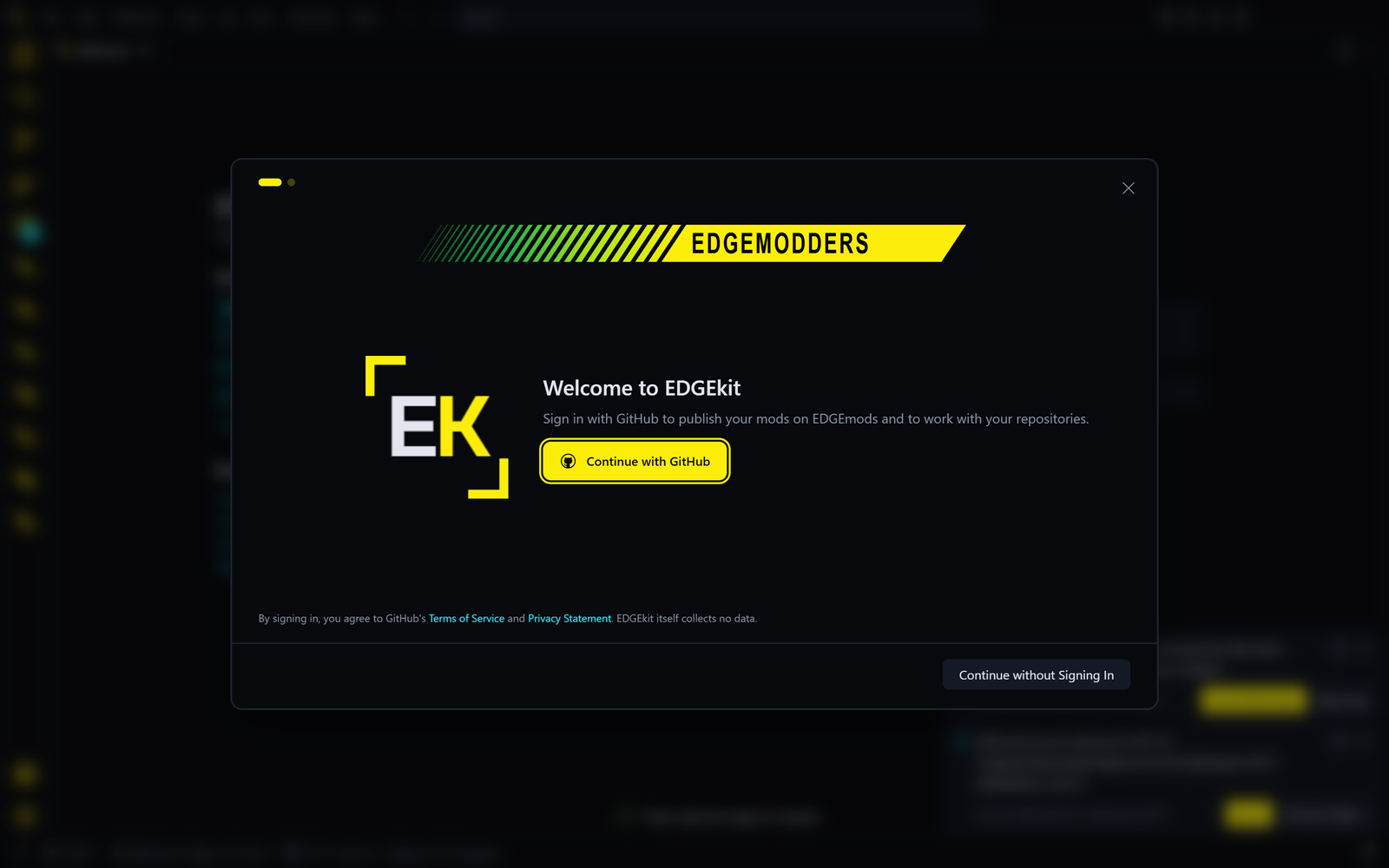
A few welcome screens. They offer a GitHub sign-in and a choice of theme.
| Screen | What to do |
|---|---|
| Sign in with GitHub | Optional, and safe to skip. None of the EDGE tools need it. It is for sharing mod projects on GitHub, and later for publishing on EDGEmods, the Edgemodders mod site, which is still being built |
| Theme | EDGEkit starts in REDnode HUD, a dark theme in the game’s colours. Pick another if you like |
Claude Code installs. When the welcome screens close, EDGEkit installs Claude Code, Anthropic’s AI assistant. EDGEkit asks first: “Do you trust the publisher Anthropic?” Say yes to install it. The dialog calls Anthropic “not verified”; that is how the extension registry EDGEkit uses labels most publishers. Say no and EDGEkit works without Claude Code.
One question about EDGEchat. Once Claude Code is in, EDGEkit asks: “Set up Claude Code for EDGE?” EDGEchat is the add-on that makes Claude Code a modding assistant. Set Up starts it, No, Thanks skips it, and you can do it later. What happens next is in Your first session.
Then the Welcome page shows, with EDGEkit’s own walkthrough. That is where Your first session picks up.
Updating
EDGEkit checks for a new release when it starts, and then every hour. When one is out, open the gear menu at the bottom left of the window and choose Restart to Update.
This button hasn’t been confirmed in a released copy yet. If it doesn’t appear or doesn’t work, download the new installer and run it over the old one; your settings and mods stay.
The EDGE tools inside EDGEkit update themselves between releases, so you rarely need a new EDGEkit to get a fix.
Uninstalling
- If you deployed mods with EDGEdeck and want the game folder back as it was, press Undo deploy in EDGEdeck first. See Uninstalling EDGEdeck.
- Uninstall EDGEkit in Windows Settings, under Apps.
| What | After uninstalling |
|---|---|
| Your settings and installed extensions | Kept, in %APPDATA%\EDGEkit and the .edgekit folder in your user folder. Delete both for a clean start |
| EDGEdeck’s mod library, your mod projects | Kept. They are your own folders |
| Mods deployed to the game | Stay in the game unless you undid the deploy |
| Nexus Mods download links | Given up, if they still went to EDGEkit |
Because your settings are kept, installing EDGEkit again skips the welcome screens.