Tutorial: worn leather
In this tutorial you turn the Comfy rocker aramid-weave slim-fits into worn brown leather pants, from one line of words, and wear them in the game. It is the test EDGEmat passed on 2026-10-20, written up so you can follow it. It takes about 15 minutes, most of it in the game.
What you need
| EDGEmat 0.3 or later and REDcode | Install and set up |
| A REDcode project | REDcode: New Project (Ctrl+Shift+P), for example MyMaterials. Leave it open |
| An image service key | Google Gemini or OpenAI, your own (New Material). One take costs a few cents |
| Cyber Engine Tweaks | To put the pants on V |
1. Find the pants’ material
- Click EDGEmat’s icon in the activity bar, then the FIND header (below the Library) and its magnifier.
- Type
comfy rockerand open Comfy rocker aramid-weave slim-fits. Its record id,Items.Pants_01_basic_01, shows beside it: you’ll need it in the game. - Open your V’s body (Feminine or Masculine), then the mesh
l1_012_pw?_pants__jeans_tight.mesh. - Hover the material leather and press the sparkle icon at its right (New Material Here…).
The New Material page opens. Where it goes names leather on two meshes, l1_012_pwa_... and l1_012_pma_...: one per body, so the pants change whichever body you play.
2. Generate the leather
-
Under 1. The image, stay on From words (AI) and type:
worn brown leather with fine creases
- Leave Detail on medium. Pick your service.
- Press Generate. The first time, paste your API key in the box that opens. A notification shows while the service works, usually under a minute.
- Take 1 appears under 2. Takes, and 3. The material shows it tiled 3 × 3. Look for seams or a pattern that repeats too obviously. Not happy? Press Generate again, or change the words, and pick the take you like best.
3. Add it to the project
Under 3. The material:
| Setting | Set to | Why |
|---|---|---|
| Name | worn leather |
Names the files: worn_leather |
| Repeat | 6 | Six times across the pants: fine creases, not big blotches |
| Bumps | Moderate | The creases catch the light |
| Shine | Satin | A soft sheen, not plastic |
| Metal | off |
Press Add to Project. The message says it saved worn_leather and put it on 2 mesh materials, and the page lists both meshes with “repeat in the texture, garment folds kept”: the pants keep their own folds and wrinkles at their real size.
4. Into the game
- Close the game if it’s running. In REDcode, Pack and Install. (Pack and Try is for a running game with Red Hot Tools: see Your mod in the game.)
- Start the game and load a save.
-
Open Cyber Engine Tweaks’ console and run:
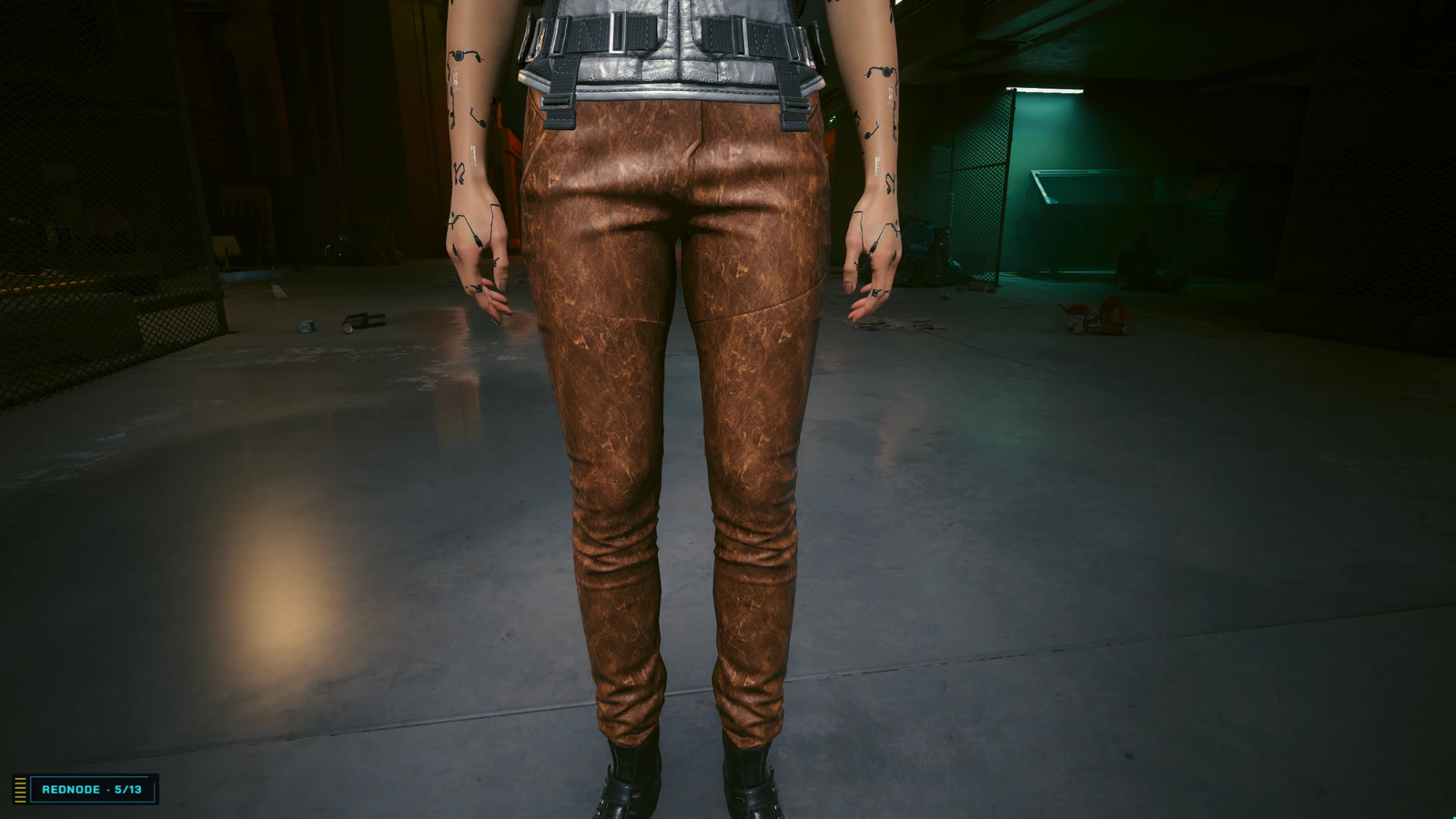
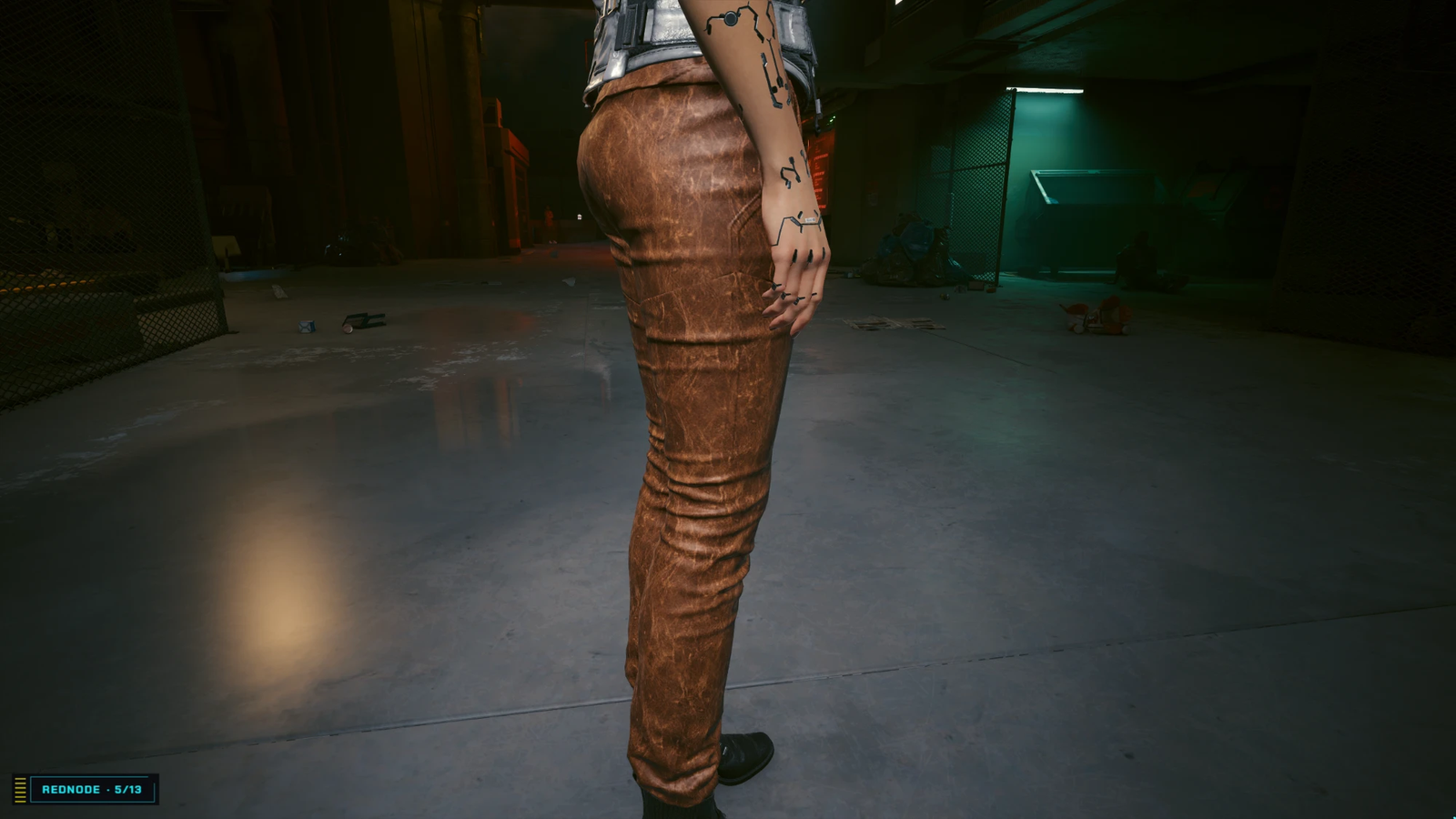
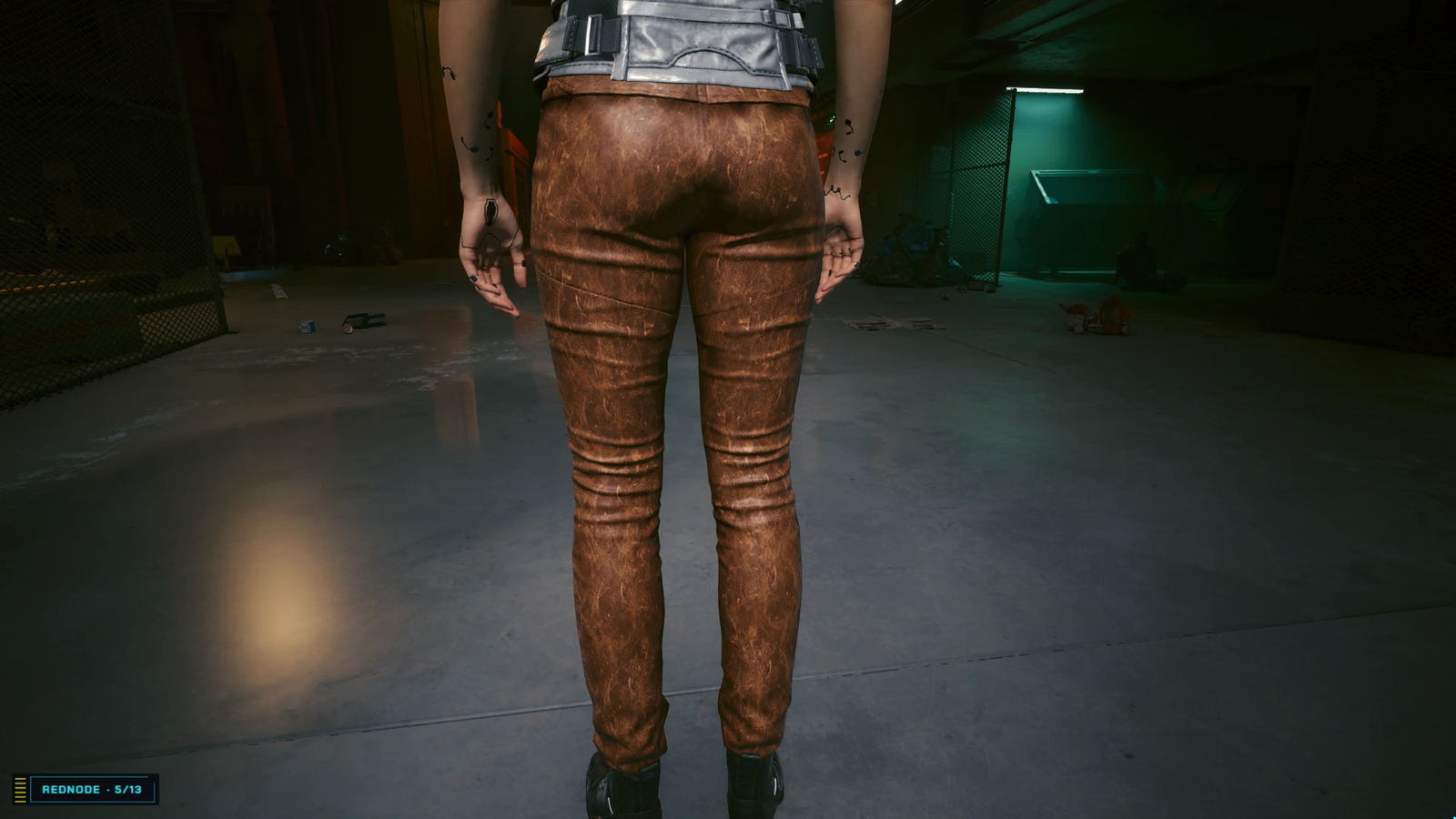
Game.AddToInventory("Items.Pants_01_basic_01", 1) - Equip the pants, and look in photo mode: front, side and back.
What to look for
| Look at | You should see |
|---|---|
| Folds | The pants’ own wrinkles at the knees and ankles, at their normal size |
| The leather | Fine creases and cracks, even over both legs, with no obvious repeat |
| Panel lines | The pattern breaks where the garment’s pieces meet. On leather this reads as stitching |
| Color | Close to the take. A warm image gives a warm, tan brown |
Try next
- Change the words: “black patent leather”, “cracked red leather”. Glossy shine suits patent.
- Use a photo of your own: From an image file, no key needed.
- Ask Claude instead: Tutorial: snakeskin by asking Claude.