Tutorial: snakeskin by asking Claude
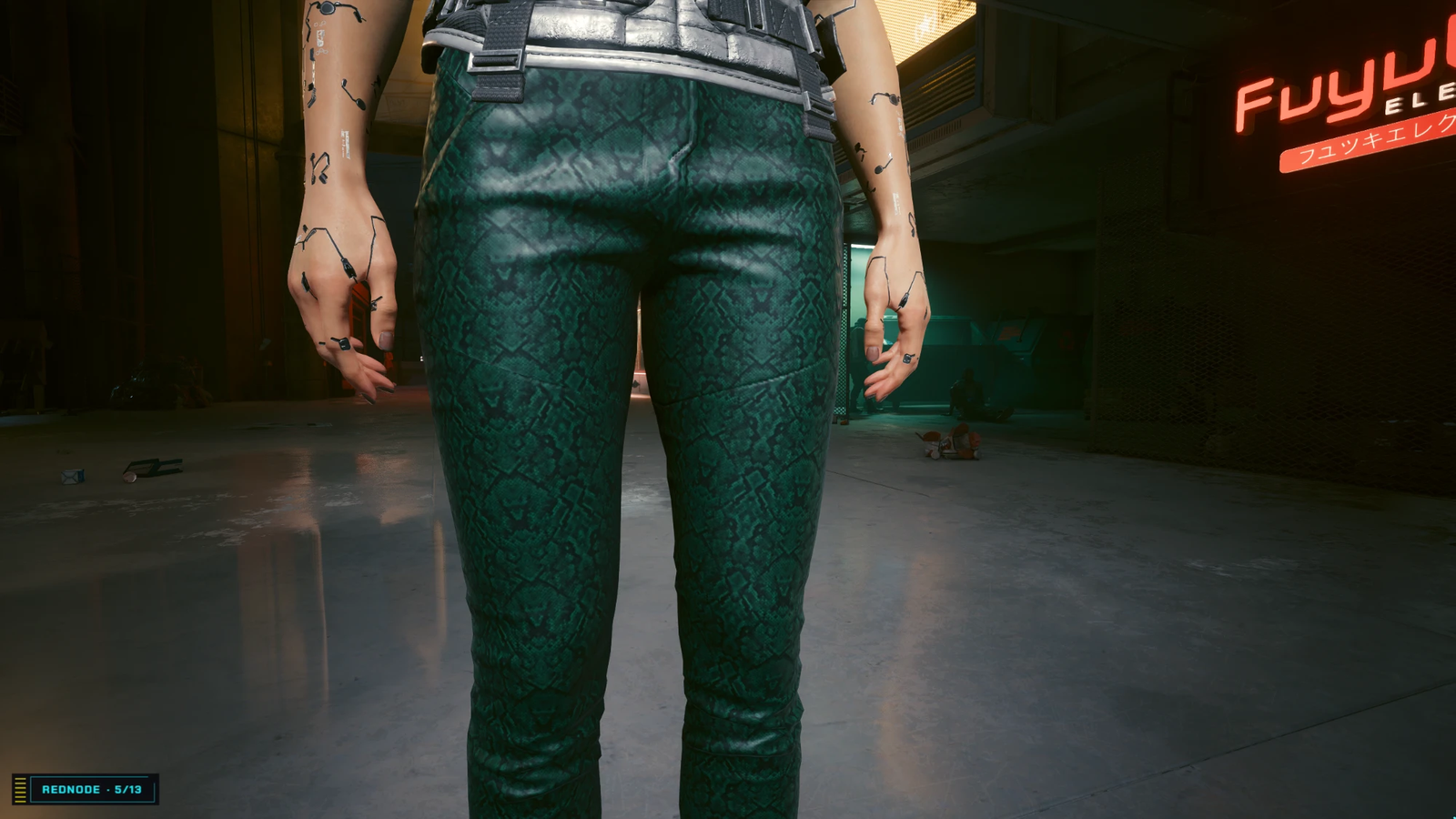
In this tutorial you don’t press a button in EDGEmat at all: you ask Claude Code for dark green snakeskin pants in one sentence, and it uses EDGEmat’s tools to find the garment, generate the material and put it on. It is the test EDGEmat passed on 2026-10-20. The garment is the Light Azure composite-lined slim-fits.
What you need
| Claude Code, connected to EDGEmat’s MCP server with your image service key | Below |
| A WolvenKit project made with REDcode | REDcode: New Project, for example MyMaterials. Note its folder |
| REDcode to pack it, and Cyber Engine Tweaks | As in Your mod in the game |
1. Connect Claude Code, with your key
- In VS Code, run EDGEmat: Set Image Service Key… from the command palette (
Ctrl+Shift+P) and paste your Gemini or OpenAI key, if you haven’t yet. - In EDGEmat’s Library view, press
...at its top right and choose Connect an Assistant (MCP)… › Connect Claude Code. - When it asks whether to give Claude Code your key too, choose Yes.
Then start a new Claude Code session, so it sees EDGEmat. More on this: Assistants.
2. Ask
In the new session, ask (with your project’s folder):
Using EDGEmat, make a dark green snakeskin material and put it on the Light Azure composite-lined slim-fits, both bodies, in my project C:...\MyMaterials
Claude then works through EDGEmat’s tools. You can follow along in its replies:
| Step | Tool | What happens |
|---|---|---|
| Find the pants | mat_find |
The item is Items.Pants_01_basic_02. Both bodies’ meshes, l1_012_pwa_... and l1_012_pma_..., use the material flames_blue_pink for this look |
| Make the material | mat_generate |
Your words go to the image service, with EDGEmat’s request for a seamless texture with no text. The image is made seamless, gets bumps and shine, and is written into your project |
| Put it on | mat_generate’s targets |
Both meshes are copied into the project and pointed at the new material. On a garment, the repeat goes into the texture and the pants keep their folds |
Claude ends by naming the files it wrote and the next step: pack and install.
You can name the settings too: “repeat 6, glossy, strong bumps”. Or ask to see the image first: “generate it but don’t use it yet”; Claude then makes only the image (mat_generate with imageOnly) and uses it with mat_from_image once you agree.
3. Into the game
- With the game closed, in REDcode: Pack and Install.
-
Start the game, and in Cyber Engine Tweaks’ console:
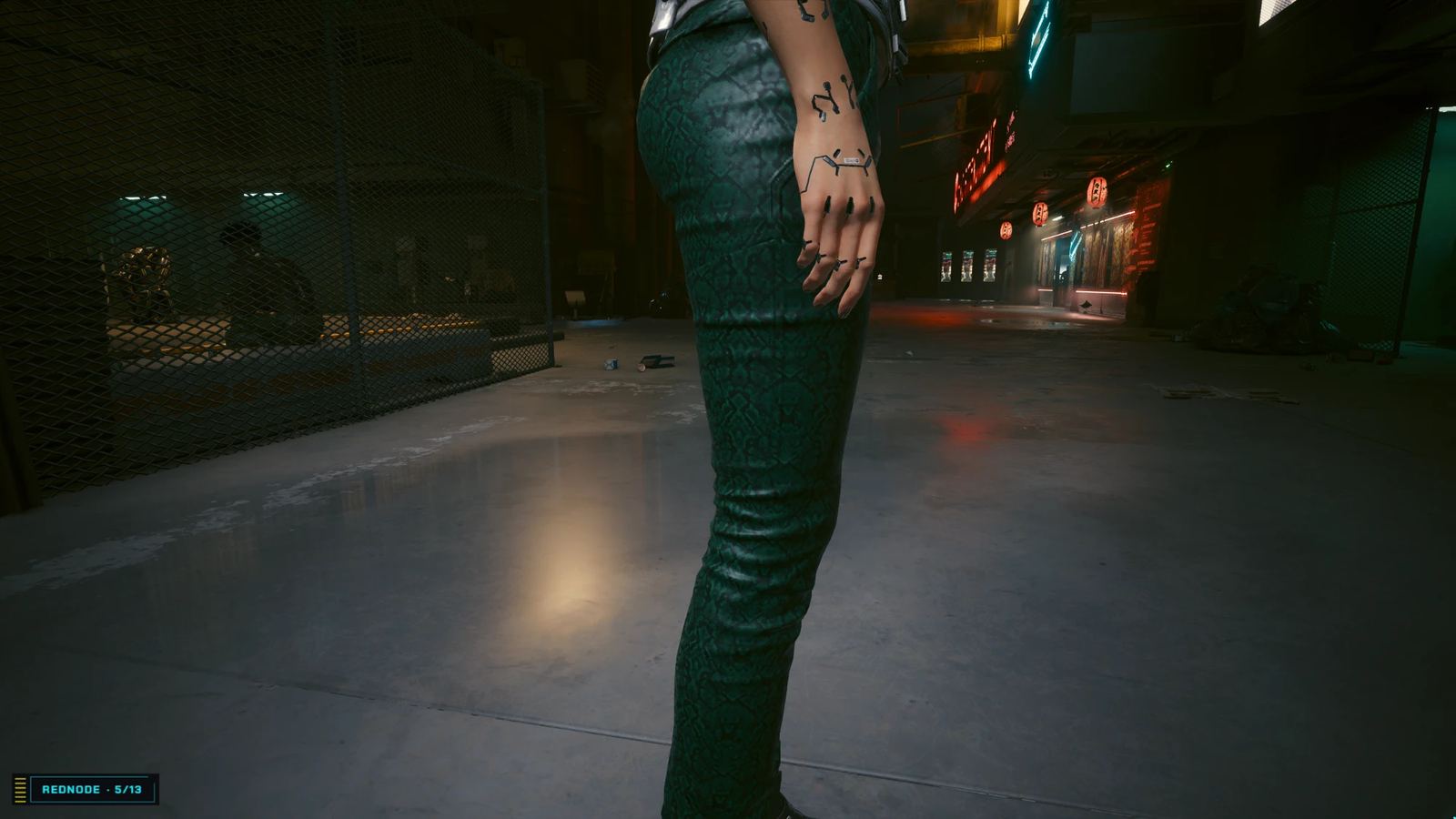
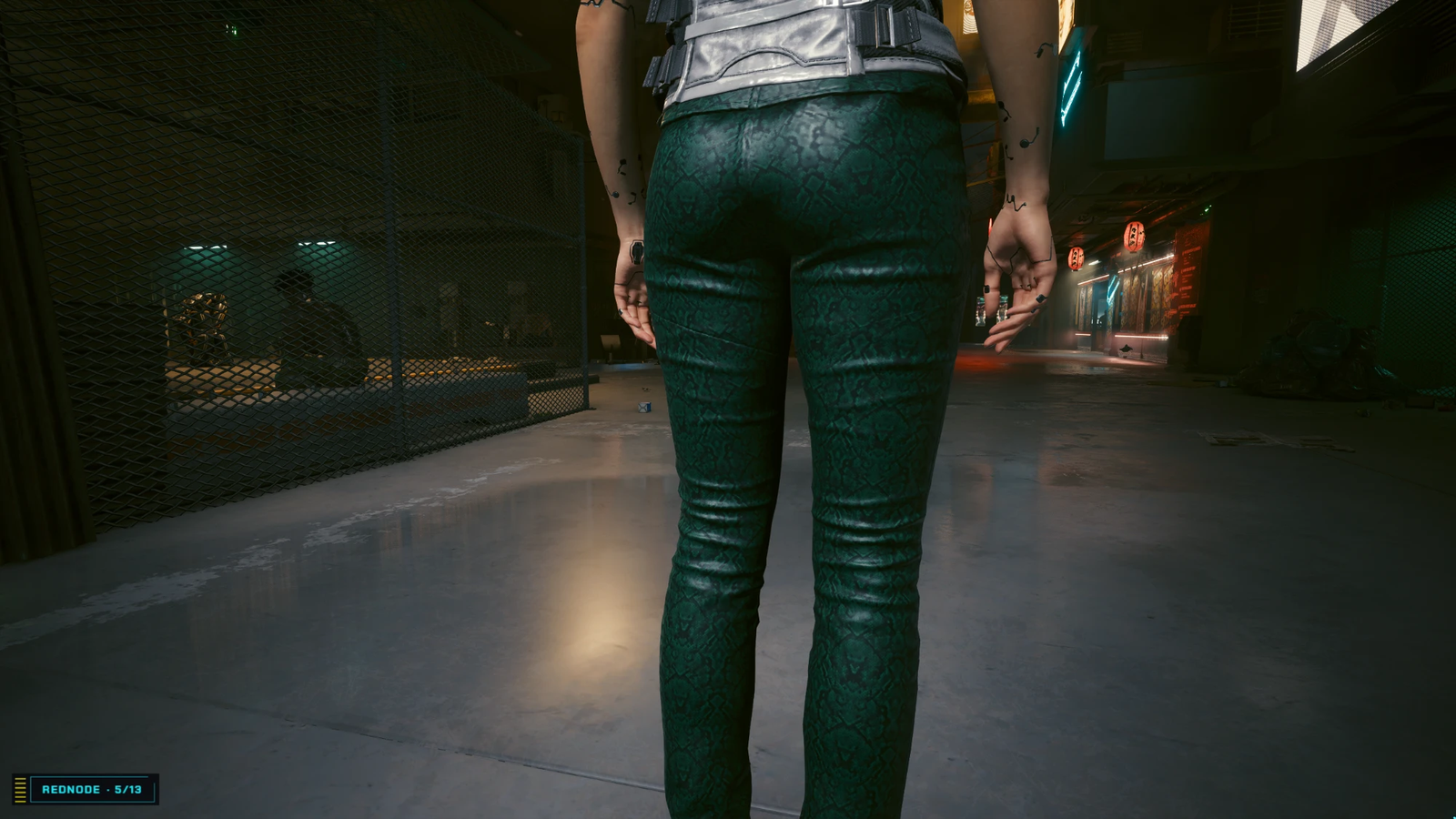
Game.AddToInventory("Items.Pants_01_basic_02", 1) - Equip the pants; photo mode, front, side and back.
What to look for
| Look at | You should see |
|---|---|
| Folds | The pants’ own wrinkles, at their normal size |
| Scales | A believable size, even over both legs, with no obvious repeat |
| Shine and bumps | The scales stand out in relief; a sheen where the light hits |
| Panel lines | The pattern breaks where the garment’s pieces meet, such as the front of the thigh. That’s normal |
Try next
- Do both: the worn leather tutorial uses the Comfy rocker slim-fits (
Items.Pants_01_basic_01), which share these meshes but use another material, so both can be in one project. - Recolor instead of replacing: “make the punk jeans dark green” uses
mat_editand the garment’s own layers (Assistants).