Scripts
Scripts are optional. Everything else on a quickhack’s page applies to every target alike. A script lets a quickhack treat targets differently: it can decide whether the quickhack may be used on a particular person, and do something extra when it lands on them.
A script is a few lines of JavaScript. You can write them yourself, or ask Claude to: see Assistants, tool hack_script.
| On this page | |
|---|---|
| What a script can do | Two functions |
| What it needs | REDnode, for you and for your players |
| Add one | From the quickhack’s page |
| What a function gets | The target and the hack |
| Examples | Two to copy |
| Try it | More damage on the wounded |
What a script can do
| Function | When it runs | What it does |
|---|---|---|
Scan check, canUse(target, hack) |
Each time V scans a person | Answers true to show the quickhack as usable on them, or false to show it disabled, with a text of yours |
On land, onLand(target, hack) |
When the quickhack takes effect on a living person, an instant after its normal effects start | Adds to the quickhack: more damage, a status effect, anything worked out from the target. It can’t cancel the quickhack |
A script works on a new quickhack and on a change to a game quickhack.
What it needs
| Need | Why |
|---|---|
| REDnode in the game | REDnode runs the script. The version is in What each feature needs |
| The quickhack in a project | A script can’t be added on the Desk or in the Library |
| The mod installed with Pack and Play | The script travels with the mod. Try Live does not send scripts |
| The mod’s package switched on in the game | The first time, open REDnode’s launcher (F10), find <your mod's name> quickhacks in the Mod Manager and switch it on |
Players of your mod need the same: REDnode installed, and the package switched on. Say so on your mod’s page.
Add one
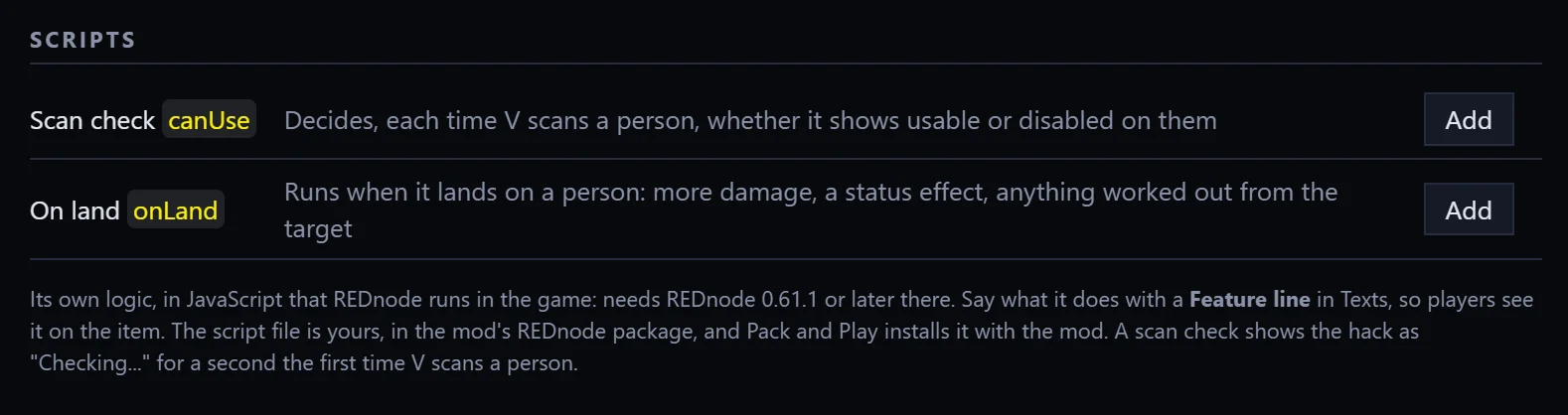
The Scripts section is near the bottom of a quickhack’s page.
- Press Add on Scan check or On land.
- The script file opens beside the page, with the function already written and a comment saying what it gets.
- Write your lines inside the function, and save the file.
- Save the quickhack’s page too. That writes the helper files REDnode needs.
You should see the row’s button change from Add to Open, the script file’s path above the table, and the page’s status line end with “and the mod’s REDnode package”.
| Control | What it does |
|---|---|
| Add | Writes an empty function into the script file, and makes the file if there is none |
| Open | Opens the script at that function |
| A disabled hack says | With a scan check: the text the quickhack list shows on a person the quickhack is disabled on. Empty, it says “Not on this target” |
| Remove | Takes the script off the quickhack. The file stays in your project |
Which files are yours. The script file is source\resources\red4ext\plugins\REDnode\apps\<mod>\<quickhack>.mjs in your project. EDGEhack never rewrites it. It only adds an empty function when you press Add. Three helper files beside it are EDGEhack’s, and it writes them again each time you save a quickhack’s page, so don’t edit those: main.mjs, rednode-app.json and quickhacks.d.ts.
What a function gets
target is the person, as they were when the game asked:
| Field | Holds |
|---|---|
level, health, healthPercent |
Their level, their health in points, and their health in percent (0 to 100) |
isHuman, isDrone, isAndroid, isMechanical |
What they are, each true or false |
isBoss, isElite, isCivilian |
Their rank |
damage(amount) |
Lowers their health by that many points, as if V did it |
addEffect(effect) |
Puts a status effect on them, as if V did it. It takes the effect’s record id, such as "BaseStatusEffect.ContagionPoisonLvl2" |
hack says which quickhack and tier is being used:
| Field | Holds |
|---|---|
tier |
The tier as a number: 1 is Common, 2 Uncommon, 3 Rare, and so on |
item |
The record id of the tier’s item |
action |
The record id of what the tier does. You rarely need it |
spread |
In onLand only: true when the quickhack spread to this person from another target |
byV |
In onLand only: true when V uploaded it |
Finding an effect’s record id. Add the effect on the page with Add Effect…, then click record on its card: REDcode opens the record and shows its id. Or ask Claude, whose hack_effects tool lists them. Remove the card afterwards if you only wanted the id.
As you type in VS Code, it offers these fields by name.
Examples
Usable only on people who aren’t bosses:
export function canUse(target, hack) {
  return !target.isBoss;
}
More damage on the wounded, growing with the tier:
export async function onLand(target, hack) {
  if (target.healthPercent < 50) await target.damage(20 * hack.tier);
}
Keep a scan check quick. It runs every time V scans someone, so answer from target alone. The first time V scans a person, the quickhack shows “Checking…” for about a second while your check runs. If the check doesn’t answer, the quickhack shows as it would without a script.
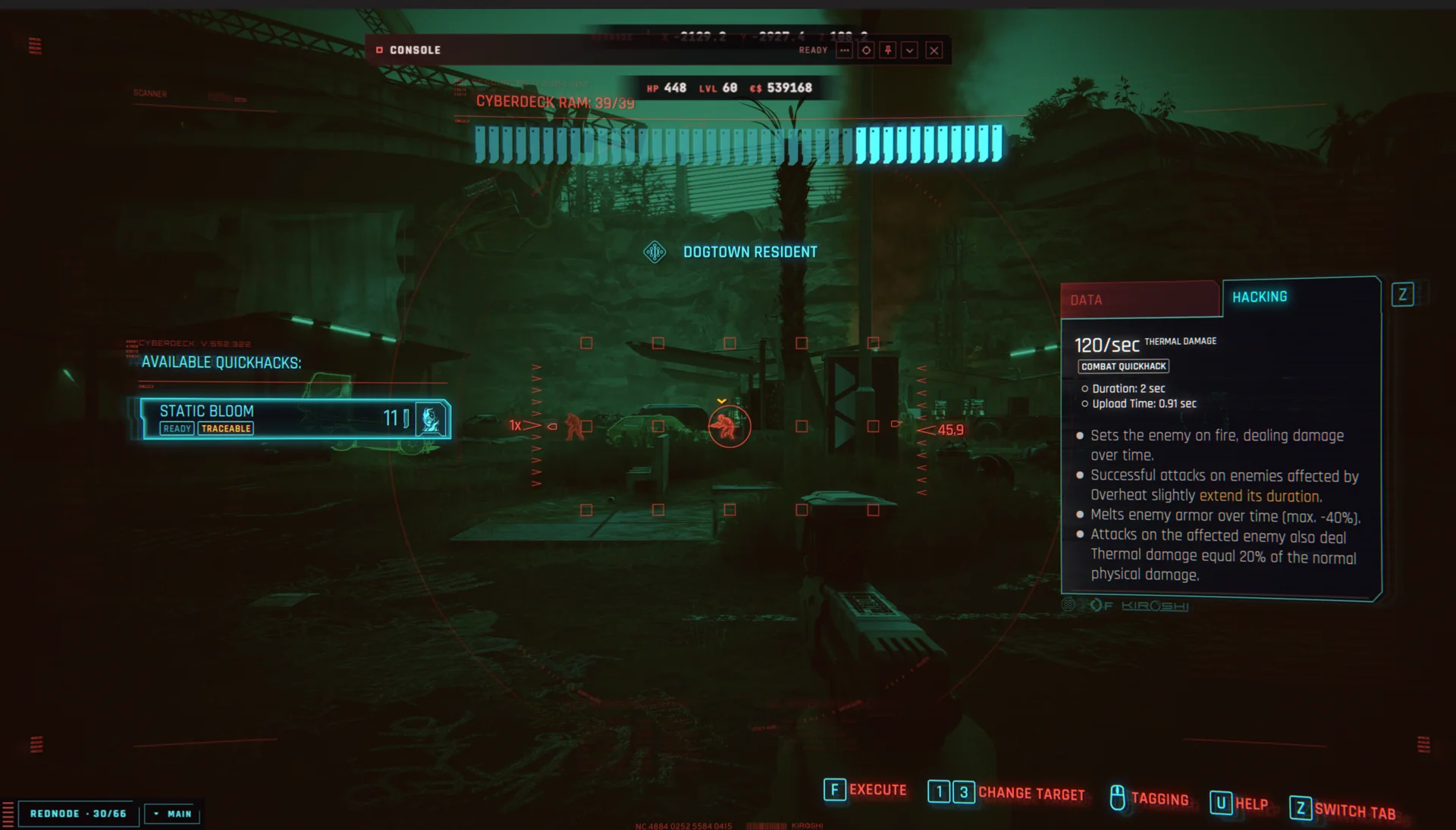
Tell players what your script does with a feature line, since the game can’t describe it for you.
Try it
You need a quickhack of your own in a project, such as Static Bloom from Your first quickhack.
- On its page, press Add on On land.
- In the file that opens, find the line that starts
// if (target.healthPercent < 50). Delete the//at its start, and save the file. - Save the quickhack’s page.
- Close the game, press Pack and Play, then start the game and load a save.
- Press
F10. In the Mod Manager, switch on<your mod's name>quickhacks. - Shoot an enemy to below half health, then upload your quickhack on them.
| What you should see | |
|---|---|
| After step 3 | The status line ending “and the mod’s REDnode package” |
| After step 5 | The package listed and switched on, with no error in REDnode’s Mod log |
| After step 6 | The enemy taking an extra hit as the quickhack lands |
If nothing extra happens, open REDnode’s Mod log (F10). It shows the mod’s own lines and any error in your script. More in Troubleshooting.
Scripts use REDnode’s quickhacks API. To see the layer underneath, read More APIs in REDnode’s section.