EDGEhack with assistants
You can ask an AI assistant to do what EDGEhack’s page does: “Make a new quickhack from Overheat called Static Bloom, with 2 more RAM on every tier and Contagion’s poison added.” The assistant finds the quickhack, makes the change and tells you which file it wrote. It asks you before every change.
It works through EDGEhack’s MCP server. MCP is the standard that lets an AI assistant use a tool, and the server is the small program that offers EDGEhack’s tools to it. You connect it once.
| On this page | |
|---|---|
| Which assistant | What works today, and what is coming |
| What an assistant can do | Eight tools, and which ask first |
| Connect Claude Code | From VS Code, or with one command |
| What the server needs | |
| REDagent in the game | Making quickhacks while you play |
| Try it |
Which assistant
| Assistant | Today |
|---|---|
| Claude Code, Anthropic’s assistant for your desktop | Works. You connect EDGEhack yourself, below |
| EDGEchat, the EDGE plugin for Claude Code | Does not include EDGEhack yet. Connect EDGEhack as below, and the two work side by side |
| Agents inside VS Code (VS Code 1.101 or later) | See EDGEhack’s tools with no connecting. Not tested by EDGEhack’s developer |
| Another MCP client | Can run the server: see Without VS Code |
| REDagent, the assistant inside the game | Works with REDnode 0.65.3 and REDagent 0.4.4 or later: see below |
New to Claude Code? Start with Connect Claude Code.
What an assistant can do
| Tool | What it does | Asks you first |
|---|---|---|
hack_find |
Searches the game’s quickhacks, and your own in the project, on the Desk and in the Library | No |
hack_describe |
Describes a game quickhack’s tiers in plain words, or says what one of yours changes | No |
hack_effects |
Lists the effects that can be added: status effects, other quickhacks’ effects, and what EDGEhack can build | No |
hack_new |
Makes a new quickhack from one of the game’s, starts a change to a game quickhack, or adds a Desk or Library quickhack to the project | Yes |
hack_edit |
Changes a quickhack as the editor’s page does: costs, texts, icons, cooldown, effects, Get it, feature lines. It writes the mod files | Yes |
hack_script |
Writes a quickhack’s script: its scan check or its on-land function | Yes |
hack_pack |
Packs the project. It does not install the mod. Install it with Pack and Play in VS Code, or ask Claude to install the project with EDGEdeck if you use EDGEchat | Yes |
hack_try |
Try Live in the running game, and Stop. Not yet tested with Claude Code | Yes |
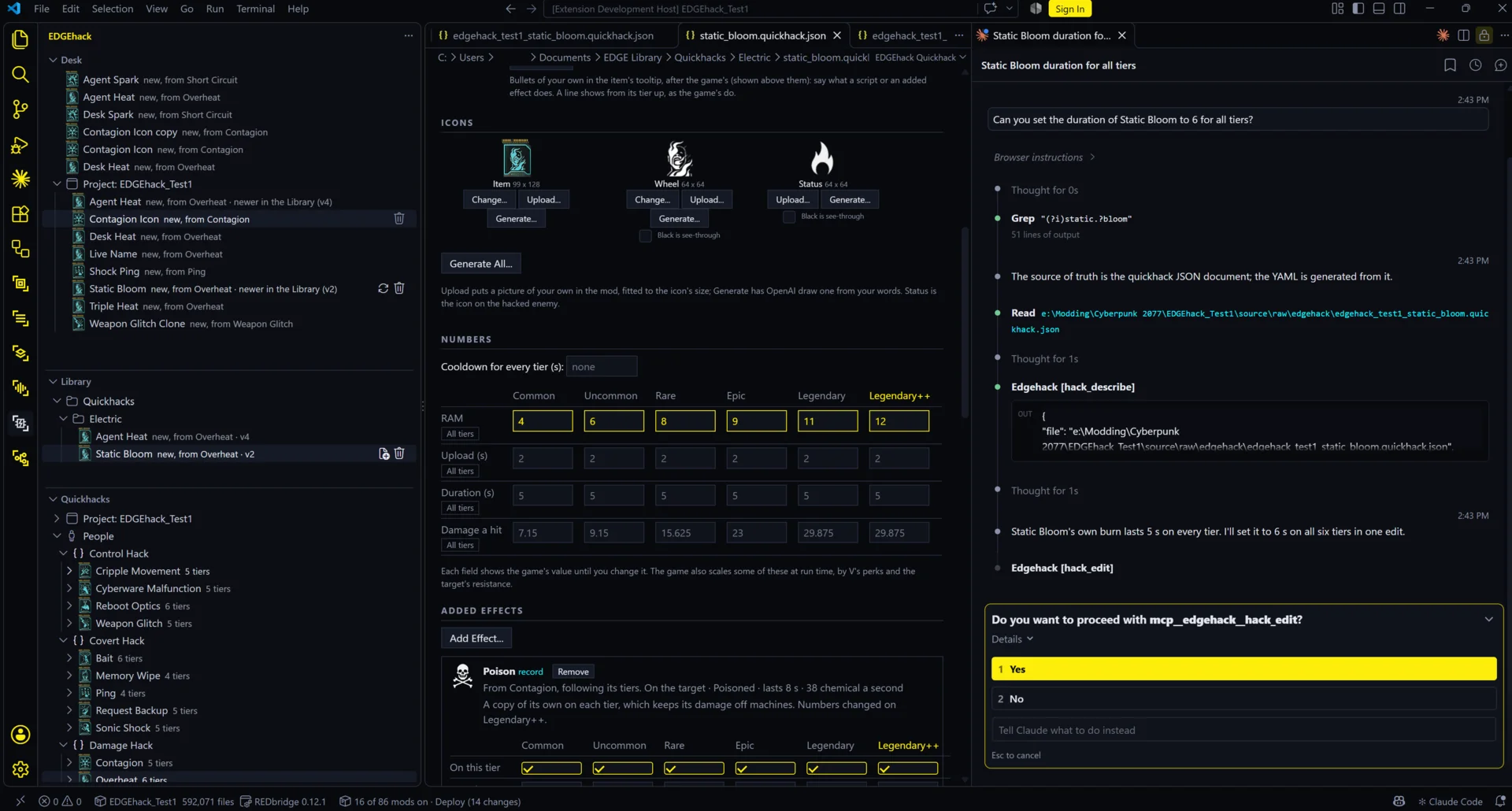
- It asks. Claude Code asks you before every call of a tool marked Yes, whatever permission mode it is in.
- It names the file. Every answer names the quickhack’s file. Open it in VS Code to see the change on EDGEhack’s page.
- The Library is yours. An assistant can take a quickhack from the Library, but it can’t add one. You do that yourself in VS Code, because you choose its folders.
Connect Claude Code
- In VS Code, open EDGEhack’s Desk view, click the
...in its title bar, and choose Connect an Assistant (MCP)…. The command palette has it too, as EDGEhack: Connect an Assistant (MCP)…. - Choose Connect Claude Code.
- Start a new Claude Code session in your project’s folder.
- Type
/mcpin Claude Code.
| What you should see | |
|---|---|
| After step 2 | “EDGEhack is connected to Claude Code.” |
| After step 4 | edgehack in the list, with eight tools |
The connection is made once, for every later Claude Code session. A session that was already running before step 2 doesn’t see it: start a new one.
Which project it works on. The server works on the project in the folder where you started Claude Code. To work on another, give its folder in your request. With no project, new quickhacks go on EDGEhack’s Desk.
The other choices in step 2:
| Choice | For |
|---|---|
| Copy the Claude Code command | Running the same registration yourself, in a terminal where Claude Code works |
| Copy a JSON entry | Another MCP client’s settings file |
| Reveal the server file | Any client that can run a file with Node 20 or later |
Without VS Code
The same server is on npm as @edgemodders/edgehack-mcp, so it runs with no VS Code and no EDGEhack extension. It needs Node 20 or later. In a terminal:
claude mcp add --scope user edgehack -- npx -y @edgemodders/edgehack-mcp
Then start a new Claude Code session in your project’s folder. Quickhacks made this way open in EDGEhack’s editor later, if you install it.
| Option | Sets |
|---|---|
--project <folder or .cpmodproj> |
The project to work on |
--game <folder> |
The game folder, if it isn’t found |
--bridge <REDbridge.exe or its folder> |
REDbridge, if it isn’t found |
What the server needs
| Part | Why |
|---|---|
| Cyberpunk 2077, version 2.5 | The server reads the quickhacks from your game. It finds a Steam install, or the game folder REDcode or EDGEdeck is set to |
| REDbridge and .NET 10 | They read the game’s files. REDcode fetches both, and so does REDnode’s Mod Manager. The server finds the newest copy |
| A project | For mod files. Without one, new quickhacks go on the Desk |
| REDnode in the game | Only for hack_try, and for scripts to run |
REDagent in the game
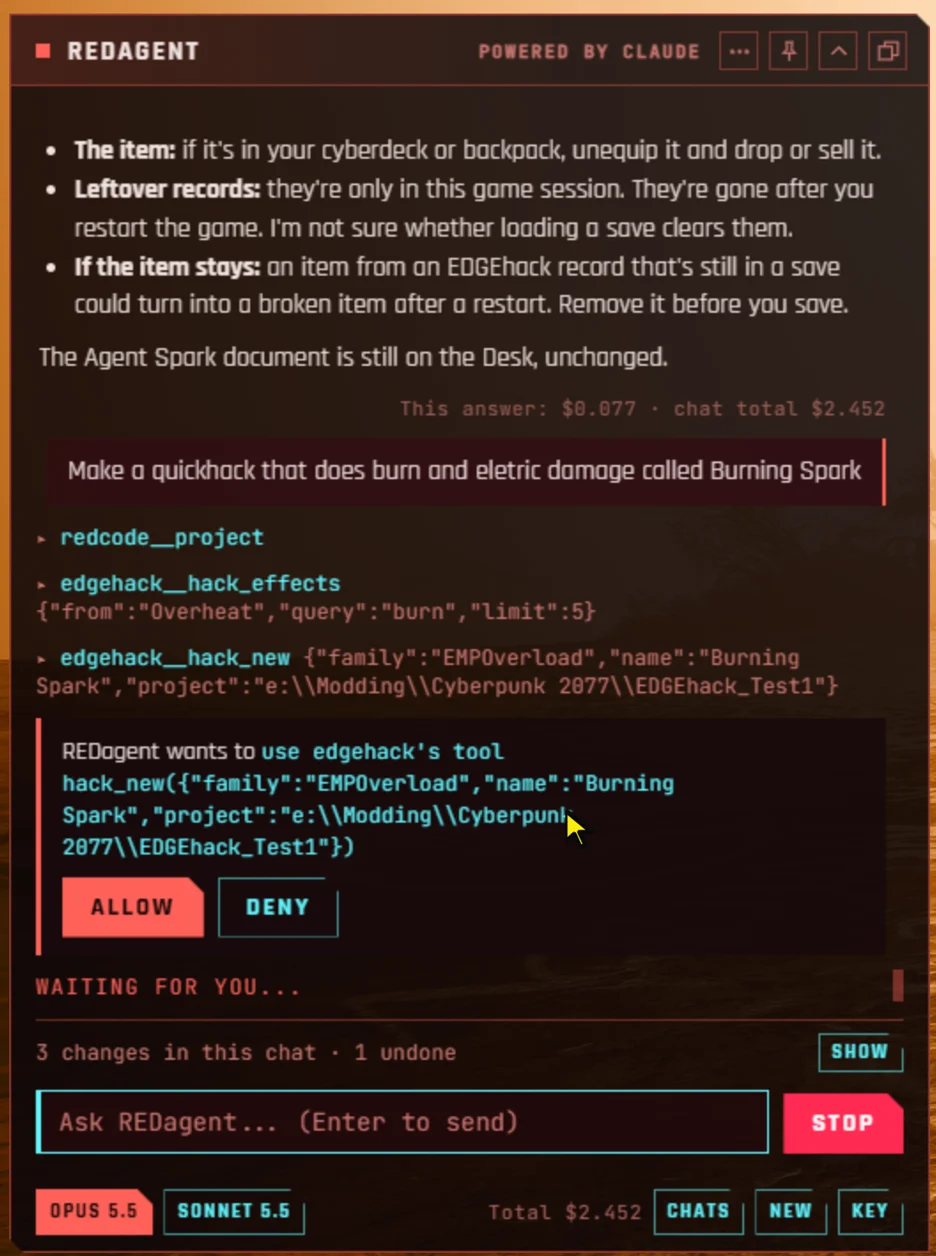
REDagent is the assistant inside the game. With EDGEhack’s tools it makes a quickhack while you play: the quickhack lands on EDGEhack’s Desk, REDagent can try it live and put the tier you asked for in V’s backpack, and you add it to a project in VS Code later. Its reads run at once; every change asks you first.
It needs REDnode 0.65.3 and REDagent 0.4.4 or later, both released on 2026-11-15, and passed its test in the game. REDnode comes with EDGEhack’s tools: you install nothing else. Until the mod is packed, a new quickhack tried live shows its text key in place of its name.
Try it
With Claude Code connected, start a new session in your project’s folder and ask:
Make a new quickhack from Overheat called Static Bloom, with 2 more RAM on every tier and Contagion’s poison added.
| What you should see | |
|---|---|
| Claude Code looks first | It reads Overheat and Contagion’s effects without asking |
| Then it asks | Once before making the quickhack, and again before each change |
| Its answer | The name of the file it wrote, ending static_bloom.quickhack.json |
| In VS Code | Static Bloom in the Desk view’s Project group. Click it to see the RAM and the poison on its page |
Then get it into the game with Pack and Play.