EDGEfab
EDGEfab is the EDGE platform’s asset maker for Cyberpunk 2077. It runs inside VS Code. Give it a textured 3D model, or describe an object in words, and it makes a prop: an object that stands in the world, such as a vending machine, a crate or a lamp. EDGEfab gets it ready for the game and puts it into your mod project. From there you place it in Night City with EDGEbuilder. An AI assistant such as Claude can do every step for you.
EDGEfab 0.1.0 is a preview, released on 2026-11-18. See Status.
New here? Read this page, then Install and set up, then follow Tutorial: your first prop. It takes about 30 minutes.
| On this page | |
|---|---|
| What it’s for | Why a prop is more than a model |
| What it can do | The features, each with its page |
| What it costs | Your own keys, and when they are used |
| Words you’ll meet | Prop, Desk, part, level of detail and the rest |
| How it fits into EDGE | What it needs from the other tools |
| Status | What was tested, and what comes next |
| In this section | Every page |
What it’s for
A new object in Cyberpunk 2077 is more than a 3D model. The game wants a mesh in its own format with levels of detail, materials and textures it can read, an entity that makes it solid, and the right path for every file. That used to mean Blender, WolvenKit and a good deal of know-how. EDGEfab does those steps for you, from a model or from a sentence.
What it can do
| You can | Where |
|---|---|
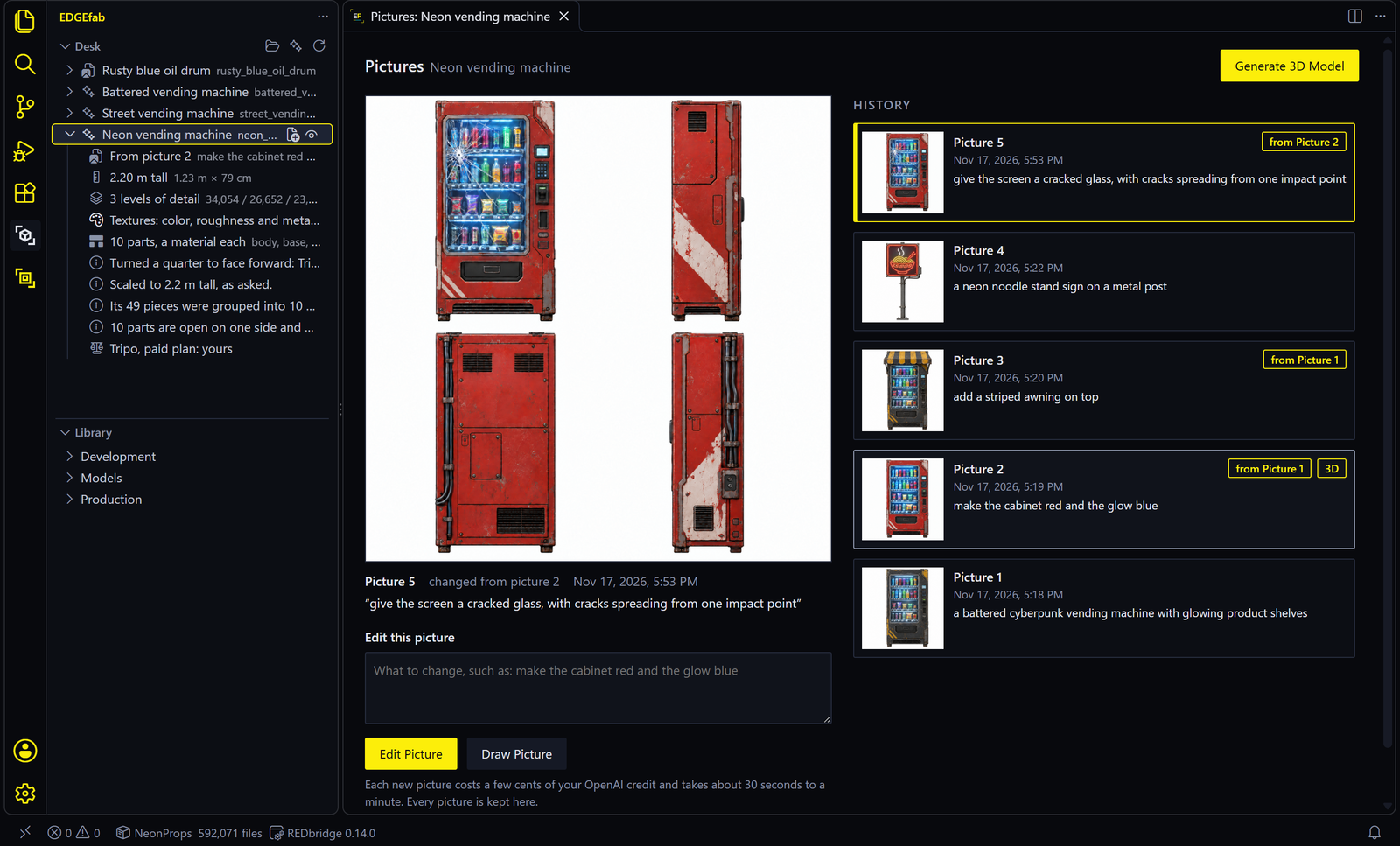
| Make a prop from your words: a picture first, drawn from four sides, which you change by words until it’s right. Then a 3D model made from that picture | Pictures, 3D models |
Bring a model of your own: a textured .glb from Blender, a store or anywhere else |
The Desk |
| Get it ready for the game, without Blender: real size, standing on its base, three levels of detail, named parts with a material each | 3D models |
| Make painted lights really glow, as strongly as you like | 3D models |
| See it in 3D with its textures, parts and levels of detail | 3D models |
| Keep work in progress on the Desk, across restarts | The Desk |
| Put it into your mod project, solid, with its materials and an entity to place | Add to Project |
| Keep it in the EDGE Library, ready for every mod you make | The Library |
| Ask Claude to do any of it | Assistants |
What it costs
EDGEfab is free. Making things from words uses two AI services, each with your own key and your own credit:
| Service | Used for | About | Needed? |
|---|---|---|---|
| Tripo | The 3D model | 60 credits a model from a picture, 80 with High detail | For any model made from words |
| OpenAI | The picture drawn first | A few cents a picture | Optional. Without it, Tripo makes the model from the words alone |
EDGEfab shows the cost and your Tripo balance before anything is paid. A model of your own, the glow, sizing, Add to Project and the Library need no key and make no network calls.
A free Tripo plan keeps the rights. On a paid Tripo plan the models are yours to use and release. On a free plan Tripo keeps all rights, so those models can’t go in a released mod. EDGEfab asks once which plan your key is on and marks each model. See Install and set up.
Words you’ll meet
| Word | Means |
|---|---|
| Prop | An object that stands in the world: it doesn’t move with a body, as clothing does |
| GLB | A common file format for a 3D model with its textures inside, .glb. Blender exports it |
| The Desk | EDGEfab’s scratch area for what you are making, kept across restarts until it goes into a project or the Library |
| Picture | The object drawn from four sides (front, left, back, right), which the 3D model is made from |
| Part | One named piece of a model, such as body, front or base, with its own material |
| Level of detail | A simpler copy of the model that the game switches to as you walk away, so it costs less to draw. EDGEfab makes three |
| Entity | The game file that puts a mesh in the world and makes it solid, an .ent. It is what you place |
| Collision | What makes a prop solid, so V can’t walk through it |
| Project | Your mod project: a folder REDcode makes for your changes and packs into a mod |
| The EDGE Library | One folder all EDGE tools share, outside any project, for things you reuse: The EDGE Library |
More terms are in the wiki’s glossary.
How it fits into EDGE
| Part | Role for EDGEfab |
|---|---|
| REDcode | Needed. It holds the mod project, shows models in 3D and packs the mod. It also brings REDbridge |
| REDbridge | Writes the game’s file formats. EDGEfab uses REDcode’s |
| EDGEmat | Materials. EDGEfab makes each part’s material from the model’s own textures with EDGEmat’s code. EDGEmat’s tools can then give a part one of the game’s own materials: Add to Project |
| EDGEbuilder | In the game: finds your prop in the mod and places it |
| REDnode | In the game: lets REDcode swap your mod in while the game runs, so you see the prop without a restart |
| EDGEchat and Claude | EDGEfab’s MCP server lets an assistant use every feature. EDGEchat connects the other tools around it: Assistants |
EDGEfab comes with no game files, and it never changes your game: it writes into your project and onto the Desk. It makes no network calls of its own, except to Tripo and OpenAI when you ask for something that needs them.
Status
0.1.0, a preview, released on 2026-11-18 on the VS Code Marketplace, Open VSX and GitHub. Its page on Nexus Mods opens soon. Windows only, tested with game version 2.5.
| Works, and seen in the game | Props made from words and from a GLB, added to a project and placed with EDGEbuilder: solid, facing the right way, levels of detail clean, back after a game restart. Painted lights that glow. Bumps shaded the right way round |
| Works, tested in VS Code | Every command: the Desk, the Pictures tab, Generate 3D Model, Set Size, the glow, Rename, Add to Project, the Library, Connect an Assistant |
| Works by asking Claude, seen in the game once | One of the game’s own materials on a prop’s part, through EDGEmat’s tools. There are no buttons for it yet |
| Not there yet | FBX and Blender files. Clothing, characters and animation. Changing a finished prop’s shape by words. Buttons for game materials on a part |
| Coming next | FBX and .blend files through Blender, then props made in named parts with a material planned for each: see the build plan |
Each version’s changes are in EDGEfab’s changelog, and every test with its result is on its Tests page.
In this section
| Page | What it covers |
|---|---|
| Install and set up | What you need, installing, your keys and your Tripo plan |
| Tutorial: your first prop | From one sentence to a glowing vending machine standing in Night City |
| The Desk | Work in progress: what each line means, and every action on it |
| Pictures | Generate from Words, and changing a picture by words in the Pictures tab |
| 3D models | Generate 3D Model, detail and cost, parts, size, glow, and the 3D view |
| Add to Project | The files EDGEfab writes, collision, and getting the prop into the game |
| The Library | Props kept for every mod: add, change, update, and refresh a project |
| Assistants | Claude Code, EDGEchat and the MCP server: connecting, keys, every tool, examples |
| Settings and commands | Every setting, command and menu |
| Troubleshooting | What you see, and what to do |
Reference
- EDGEfab docs: the build plan, the changelog, the tests and the Library asset’s shape
- Source and issues
EDGEfab is not affiliated with CD PROJEKT RED, Tripo or OpenAI. It reads and writes game files through WolvenKit’s engine, by way of REDbridge.