The 3D preview
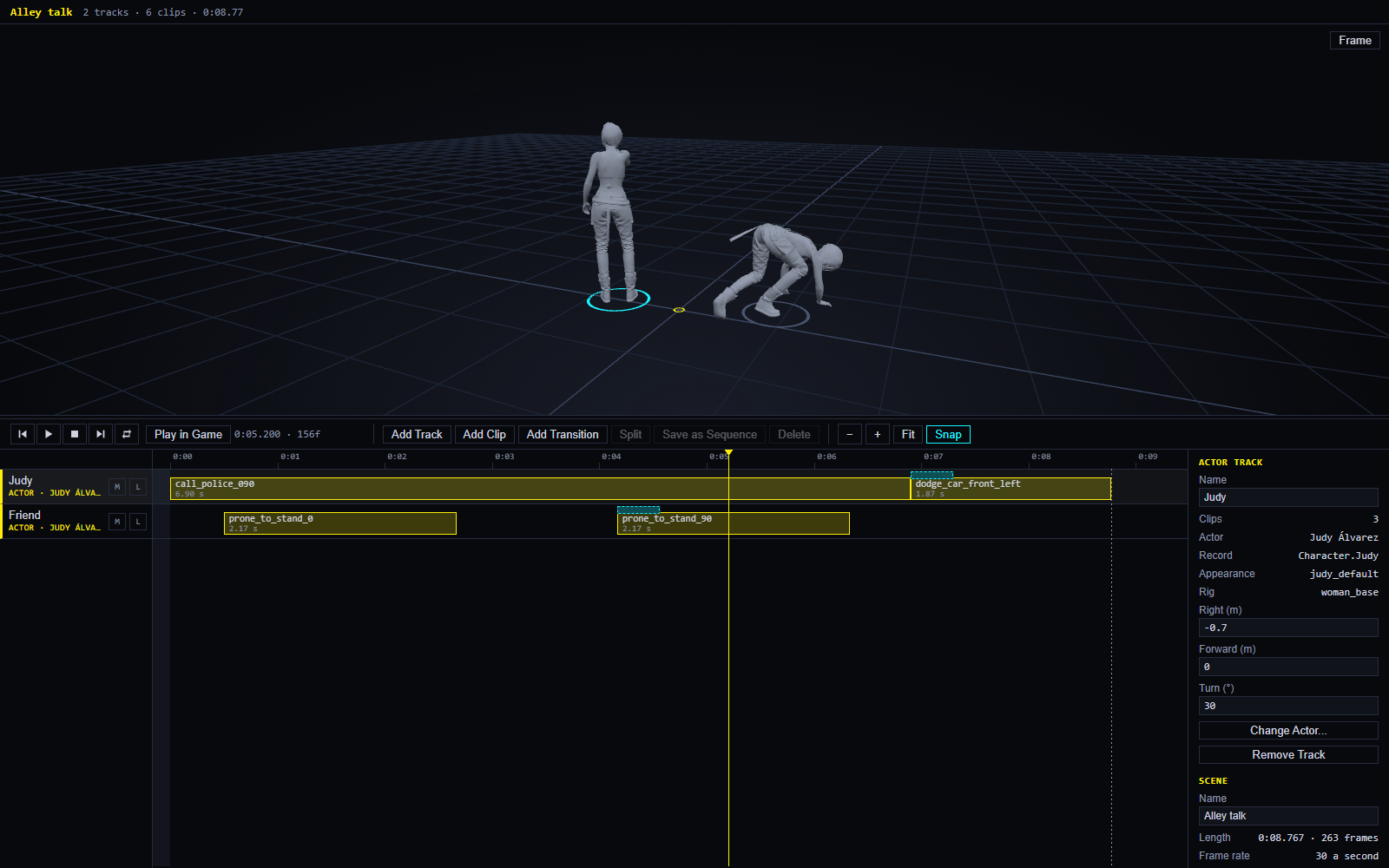
Above the timeline is a 3D view. Each actor stands there as a plain grey body and plays the clip under the playhead: when you drag the playhead, and when the scene plays. The game does not have to run.
| On this page | |
|---|---|
| Moving the view | |
| The bodies | Where they come from, and V |
| Marks | Where each actor stands and faces |
| What the view also shows | A set’s props, pins, the weather |
| What it does not show |
Moving the view
| To | Do |
|---|---|
| Orbit | Drag |
| Pan | Drag with the right button |
| Zoom | Scroll |
| Bring everybody back into view | Frame, in the view’s corner |
| Give the view more or less room | Drag the bar between the view and the toolbar |
The view fits each new body by itself until you move it by hand; after that it is yours.
The bodies
The first time an actor is shown, EDGEdir takes their body from your game’s files through REDbridge, which takes a few seconds; each animation takes a fraction of a second. Both are kept on your PC, so the next time is instant. The line at the bottom of the view says what is loading and what could not be loaded.
| You see | Because |
|---|---|
| Plain grey bodies | The preview is for timing and poses. Skin, clothes’ colours and faces’ details are not drawn |
| V without a head | V shows as the game’s base body for V’s rig. Your own V cannot be read from the game’s files |
| A ring under each actor | Their mark. The selected track’s ring is lit |
Marks
A mark is where an actor stands and which way they face. Select an actor’s track; the inspector has three numbers:
| Field | Means |
|---|---|
| Right (m) | Metres to the right of the scene’s middle |
| Forward (m) | Metres forward from it |
| Turn (°) | Which way they face, in degrees |
New actors are put 0.8 m apart, so they never start inside each other. Type a number, or use the small arrows, and the body moves at once.
In the game, a scene with no place of its own plays in front of V: the scene’s middle is 3 m ahead of V, Right and Forward are as V sees them, and a Turn of 180 faces V. That reading has not been checked in the game yet. A scene can also have a fixed place: on a set, or at a spot you choose in the game (Adjusting and pins).
Marks can also be set in the game, by standing V where the actor should be: see Adjusting.
An actor plays in place. An animation that walks forward shows the walk, but the person stays on their mark, in the preview and in the game.
What the view also shows
| A set’s props | Grey boxes of each prop’s size, when the scene is on a set |
| Pins | Thin yellow posts with their names, when the scene has pins and a place in the world |
| The weather | The line names the weather under the playhead and the view takes a tint: see Weather |
What it does not show
The preview is not the game. It does not show the place the scene plays in, textures, lighting, rain, or the people’s faces. For those, play it in the game.